How to make a POV video
In a POV video the camera is the viewer: their hands, their walk, the person looking back at them. Below are two generated first-person clips with their prompts, then how to write the line and film the shot yourself.
- One moment, one viewpoint
- Text line + first-person shot
- AI demo with prompts
Two first-person shots, generated
Both prompts say whose eyes the camera is and what the hands do.
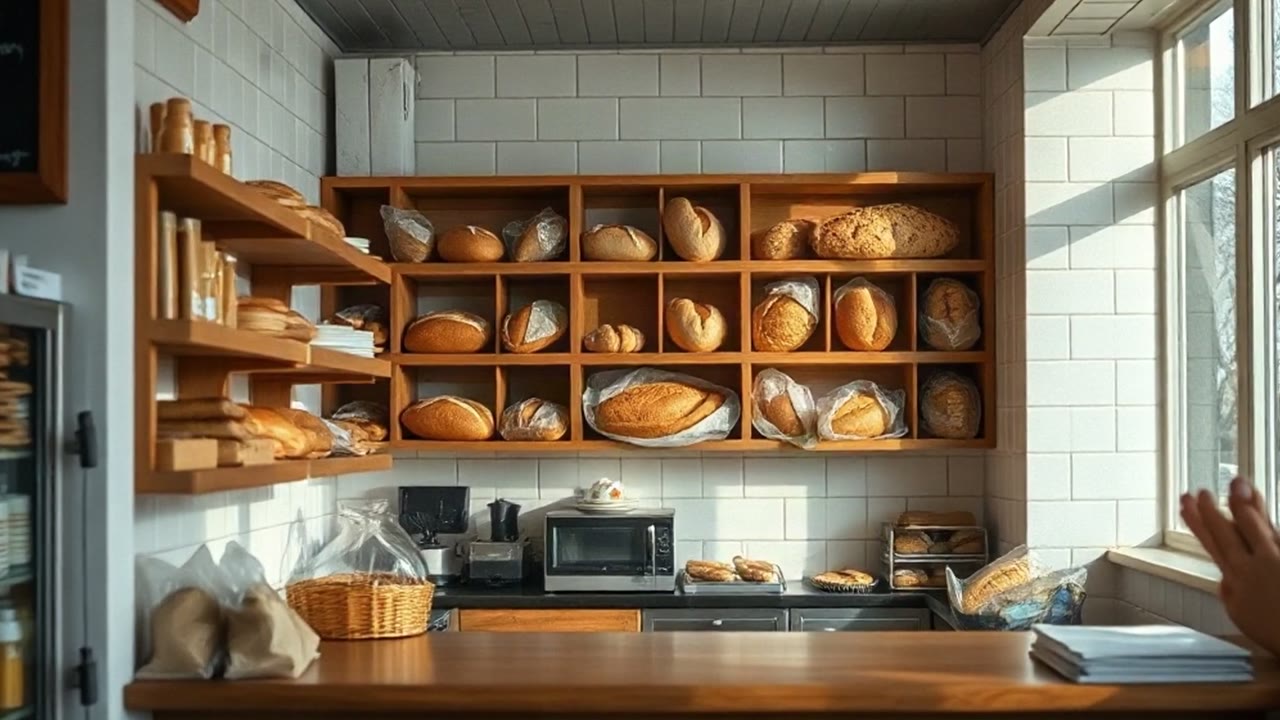
POV: your order is ready
The door, the walk to the counter, the barista and the cup sliding toward the camera all happen in order. The prompt asked for no lettering; a small round sign by the door and a menu card on the counter carry marks that look like logos or text.
Prompt
First-person point of view: the camera is the viewer's own eyes. The viewer's two hands push open a glass cafe door and walk up to a wooden counter, where a barista in a plain apron slides a plain paper cup across the counter toward the camera. Warm morning light. The cup, the apron and the walls are plain, with no lettering.
Vivix W1 fast · 6.5 s · 720×1264
POV: the ride before work
A second take. It shows only the handlebars and gloved hands, as asked, with the sea on the left. The first take had dark shapes at the edges of the frame, so the prompt was rewritten to say that nothing else of the rider is visible. It drew a road where the prompt said path.
Prompt
First-person view from a bicycle seat, looking forward and slightly down. Only the handlebars and two gloved hands are visible at the bottom of the frame; nothing else of the rider is in the picture. An empty seaside path runs ahead at sunrise with the sea on the left. Slight natural sway. No on-screen text, no logos, no watermark.
Vivix W1 fast · 5 s · 720×1264
Recorded on 10–11 November 2026 with Vivix W1 fast through its API, at 9:16 and 720×1264. The cafe clip is the first result of its prompt; the bicycle clip is a second take, as its note says. They are shown without sound. ClipScript does not sell this model; the people and objects in the clips are generated, not real.
What is a POV video?
POV stands for point of view. The video puts the viewer inside one specific moment, usually with a line of text that starts "POV:" and a shot filmed as if through their eyes, or of a person reacting to them. It is a small scene, not a topic: "POV: you open the drawer and every cable is labelled" works; "POV: organisation" does not. Most are a single shot of a few seconds.
- Stands for
- Point of view
- Built from
- One line of text and one shot
- Typical length
- A few seconds
How to make one
Write the moment as one line
"POV: you…" followed by something that happens in under five seconds. If the line needs "and then", it is two videos.
Decide who the camera is
Either the viewer's eyes (their hands in frame, their walk) or someone facing the viewer and reacting. Do not switch halfway.
Film at eye height
Hold the phone where your eyes are, or clip it to your chest. Let your hands enter the frame; they are what makes it first-person.
Put the line on screen first
Add the text in the first second and keep it up long enough to read twice.
What decides whether it lands
A specific moment
The more exact the situation, the more people recognise it. Name the drawer, the queue, the Monday.
A reaction
Most POV videos end on a face or a result. Plan the last second before the first.
Your own scene
Recreating another creator's skit line for line is copying. The format is free to use; their script is not.
People you film
A POV shot in a real shop films real staff and customers. Ask, or film somewhere you control.
POV video questions
Does a POV video have to be first-person?
Strictly, yes: the camera stands in for the viewer. In practice many videos labelled POV show a person acting toward the camera instead, and viewers accept both.
How do I film first-person without a head mount?
Hold the phone just under your chin with the lens level, or use a chest clip. Keep your elbows in to steady it.
How do I write a prompt for an AI POV clip?
Say that the camera is the viewer's eyes, say what the viewer's hands do, and say what is not in frame. The second clip above only worked after the prompt added "nothing else of the rider is in the picture".
Can I generate a POV clip on ClipScript?
No. The clips on this page were recorded with Vivix W1 fast, a model ClipScript does not sell. What ClipScript does for this format: the TikTok transcript of a video you are studying, and a free voiceover script from your topic on the TikTok script generator.
More tools
Explore each tool’s instructions, output limits and available recorded examples.