Short video formats, shown with clips
Each format has a page: what it is, example clips generated for it with the exact prompt and an honest note on how each came out, and the steps to film it with a phone. Start with one that fits what you already have to show.
- 13 formats
- 29 clips with prompts
- 3 narrated videos made here
- Misses shown too
Three of the clips
One from each group. The rest are on the format pages.
Fit check: the walk-in
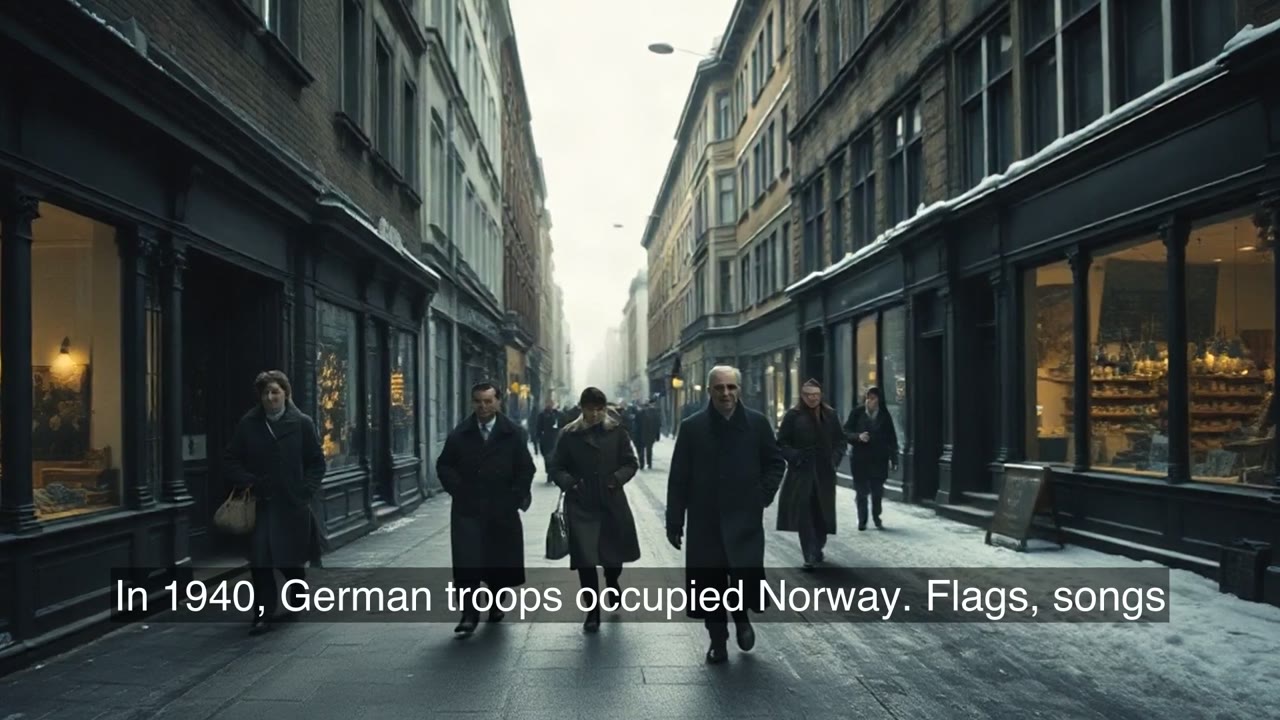
A walk toward the camera that stops on a pose, one way to open a fit check. The other shots and the poses: fit check.
Prompt
Vertical full-body shot, locked camera at the end of a bright white hallway with a wooden floor and bare walls. A woman in her thirties with short dark hair, wearing a long camel coat, black trousers and white sneakers, walks confidently straight toward the camera, stops at mid-distance and holds a pose with one hand on her hip. Plain clothes with no print.
Vivix W1 fast · 6.5 s · 720×1264
Before and after
A cluttered desk cleared in an 8-second time-lapse; this is a second take. How to match the two shots: before and after video.
Prompt
Time-lapse, locked camera looking down at an angle on a small wooden desk. It starts cluttered with tangled cables, loose papers and three mugs. Two hands quickly clear everything away; it ends as a tidy desk with one closed paper notebook, one lamp and one small plant. There are no electronic devices on the desk. No on-screen text, no logos, no watermark.
Vivix W1 fast · 8 s · 720×1264
One reference picture
Generated from a single picture of the product. What stayed the same and what changed: AI product video.
Prompt
Vertical product shot. The tan canvas tool roll from Image 1, on the same pale oak workbench: two hands roll it up, tie its cord, and set it upright. Soft window light, locked camera. No on-screen text, no logos, no watermark.
Vivix W1 fast · One reference picture · 8 s · 720×1264
Recorded on 10–11 November 2026 with Vivix W1 fast through its API, at 9:16 and 720×1264. The first and third clips are first results; the desk clip is a second take. They are shown without sound. ClipScript does not sell this model; the people and objects in the clips are generated, not real.
What is on these pages?
Thirteen short-video formats, one page each. Two are narrated formats with videos made by ClipScript's own video tool. Two were written up as current TikTok formats in reports dated 30 October to 3 November 2026, six are formats that have been around for years, and three are tests of what an AI video model does with a prompt, a reference picture or two frames. The other eleven pages show clips recorded with Vivix W1 fast, the prompt for each, and what the model got wrong. ClipScript does not sell that model; the clips are examples, and the filming steps need only a phone.
- Formats
- 13
- Clips
- 29, each with its prompt
- Recorded
- 10–11 November 2026
- Model
- Vivix W1 fast, not sold here
Narrated formats you can make on ClipScript
Still pictures, a narrator and burned-in captions, made with the video tool on this site. Each page shows the videos it made, flaws included.
Zombie apocalypse story
Ideas, a template and a narrated series. Zombie apocalypse story
Storytime video
A faceless story told over pictures. Storytime video
Formats reported in recent weeks
Both were written up as current TikTok formats in reports dated 30 October to 3 November 2026. One outside report is not a ranking, and neither page says a format is growing.
Then vs now
Where it started beside where it is. Then vs now
Loading
A progress bar that fills as the result arrives. Loading
Evergreen formats
Fit check
The whole outfit, then two details. Fit check
POV video
The camera is the viewer. POV video
Before and after
One frame, two states. Before and after
Expectation vs reality
The plan, then what happened. Expectation vs reality
Stop motion
Photos played as movement. Stop motion
TikTok transitions
Three easy ways from one shot to the next. TikTok transitions
AI video tests
AI video prompts
Seven clips, including three misses. AI video prompts
AI b-roll
Three generated cutaways. AI b-roll
AI product video
One photo to three clips. AI product video
What ClipScript does for any of them
The words of a video you are studying
Paste a public link on the TikTok transcript page and read how it opens, turns and ends. Visit the page to see the current free allowance and its conditions.
A script for your version
The TikTok script generator writes a voiceover script in scenes from your topic or notes, free with an account.
A narrated video without a camera
The same page turns that script into a vertical video of still pictures with a voice and captions, at 40 credits a started minute.
Questions
Are these formats trending right now?
The two recent ones were listed by Later, and one of them also by Social Expert, on the dates each page gives. We read those reports on 10 and 11 November 2026 and have not measured the formats ourselves. Formats come and go within weeks; check the date on the page.
Why show clips that went wrong?
Because a prompt list that hides its failures teaches nothing. Three unsuccessful prompts are shown beside follow-up attempts on the AI video prompts page, including one that simplifies the original task rather than completing it.
Are the people in the clips real?
No. Every person and product in the clips was generated. No real person, brand or song is used.
Can I generate clips like these on ClipScript?
No. They were recorded with Vivix W1 fast, which ClipScript does not sell. ClipScript makes transcripts, scripts and narrated videos from still pictures.
More tools
Explore each tool’s instructions, output limits and available recorded examples.